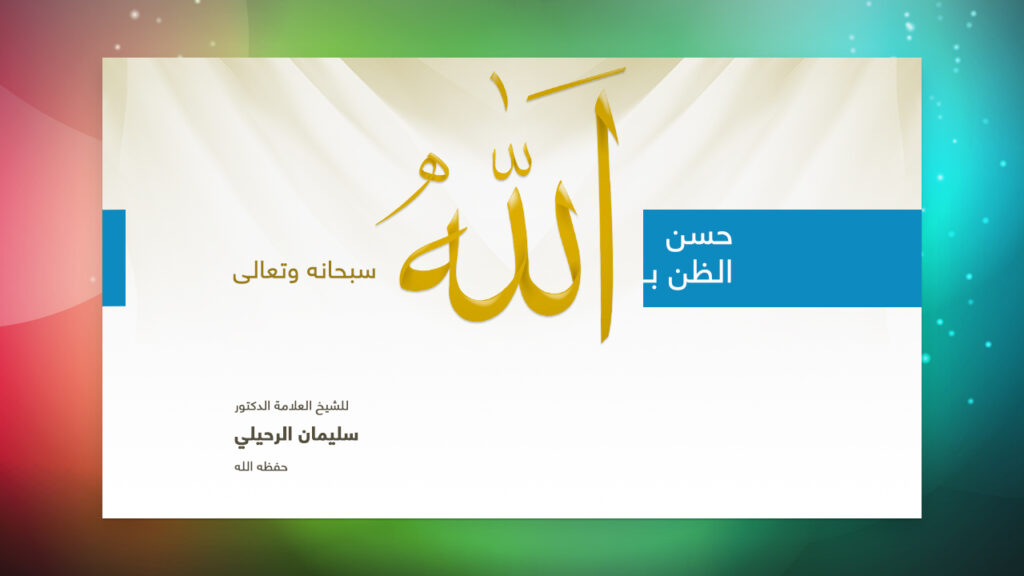
A design may begin as a wide lesson cover while its Pinterest presentation needs a vertical format. A practical solution is to place the complete cover inside a new canvas rather than stretch it or cut off the sides. Keep the original work as a separate visual unit and use the surrounding space to explain the subject and the destination.
Start with a vertical canvas and proportional scaling
Pinterest’s image creation guidance recommends a 2:3 ratio, such as 1000 × 1500 pixels. Use that as a starting format and leave margins around the artwork. It is a layout choice, not a promise of traffic or a guarantee that a Pin will be shown.
For example, a 1600 × 900 cover displayed at 880 pixels wide becomes 495 pixels high when scaled proportionally. That leaves room above and below it for a heading and short description. If a different image is too tall for its allotted area, reduce both dimensions together until the whole image fits. Setting width and height independently can distort the lettering.
Write around the image and preserve its wording
Put a concise heading in the surrounding area, separate from the original text. Describe a lesson cover as a cover rather than making your heading look like a quotation from the lesson. If an English heading introduces Arabic artwork, say that the artwork text is Arabic. Do not place an unreviewed translation inside the original or remove a speaker’s name or reference to make room.
Choose a quiet background that works with the image, then test the heading at normal phone width. Where the artwork terms permit preparing a new presentation, its frame and heading can supply context while the work itself remains intact. Blank space helps separate these elements; it does not need to be filled with decoration or repeated slogans.
Check the image and destination together
- Compare the embedded image with the original. Check every edge, line of text, and reference.
- Open the exported file at full size, then view it small to assess the added heading.
- Link to the design page matching the description’s language, rather than a standalone download that omits its source.
- Read the caption and confirm it describes what is present without promising content the artwork does not contain.
The “Good opinion of Allah” lesson cover illustrates the kind of wide artwork that can benefit from this approach. Read its transcription and explanation, then check the image usage terms before preparing an external version. If fitting the complete artwork makes its text too small, keep the source-page link clear and enquire about another format instead of deleting part of the work.